
Private vault dashboard
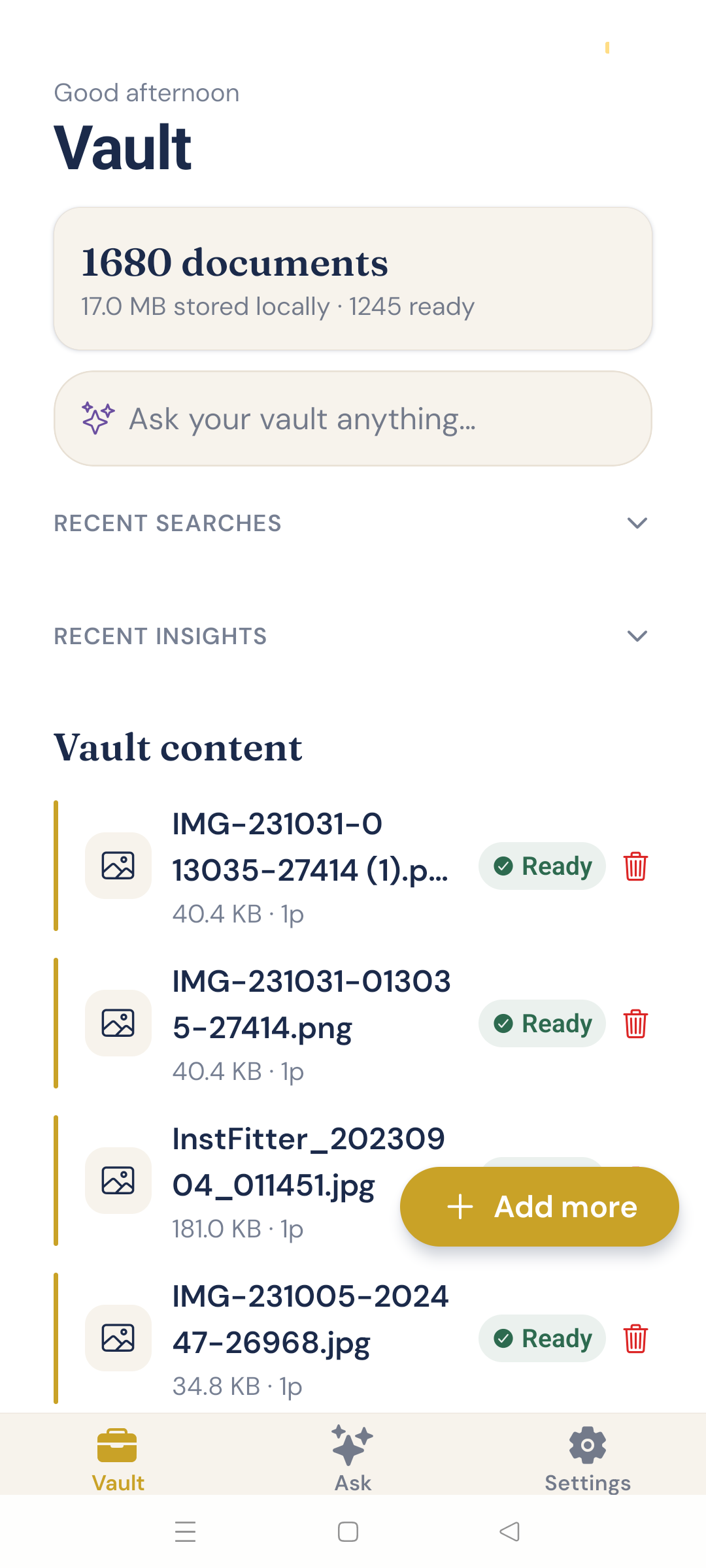
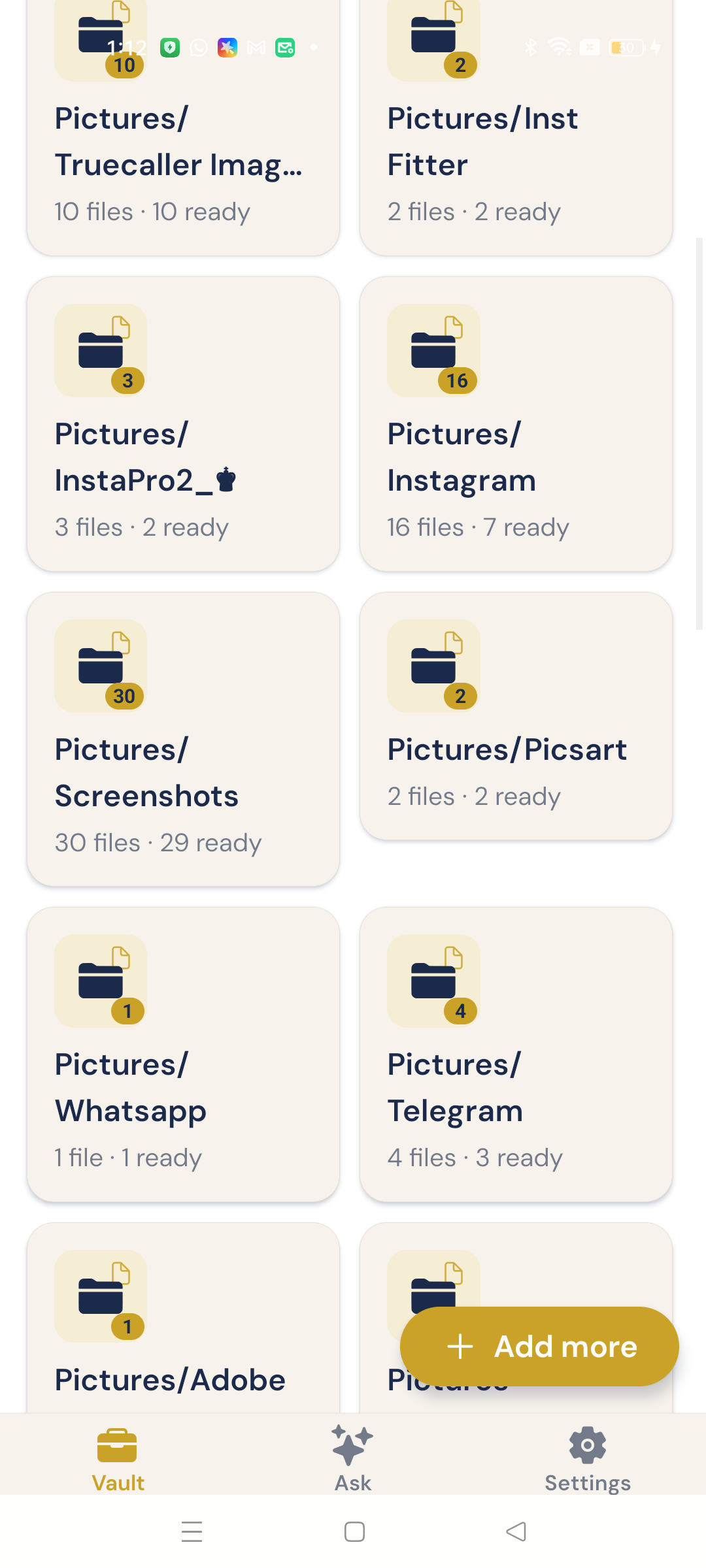
See document counts, storage used, ready status, and folder-grouped content at a glance — with a calm greeting-led home.
Product · Influrion Solutions
 Android · On-device · BYOK
Bruq AI, built by Influrion Solutions (formerly BrainVault), turns the PDFs and images already on your phone into a private archive you can search and ask in plain language — with citations back to your sources.
Android APK · Package com.bruq.ai · Install from this site while Play Store listing is prepared.
Problem → solution
Contracts, receipts, notes, and screenshots pile up across folders and chats. Most AI document tools ask you to upload sensitive files to someone else’s servers. Bruq AI keeps the archive local: index on the phone, retrieve snippets, then optionally phrase an answer with an AI key you configure yourself.
Documents and the index live on your device — not an Influrion cloud drive.
OCR, chunking, and embeddings run locally until files show Ready.
Ask in plain language and verify every claim against source snippets.
Features
See document counts, storage used, ready status, and folder-grouped content at a glance — with a calm greeting-led home.
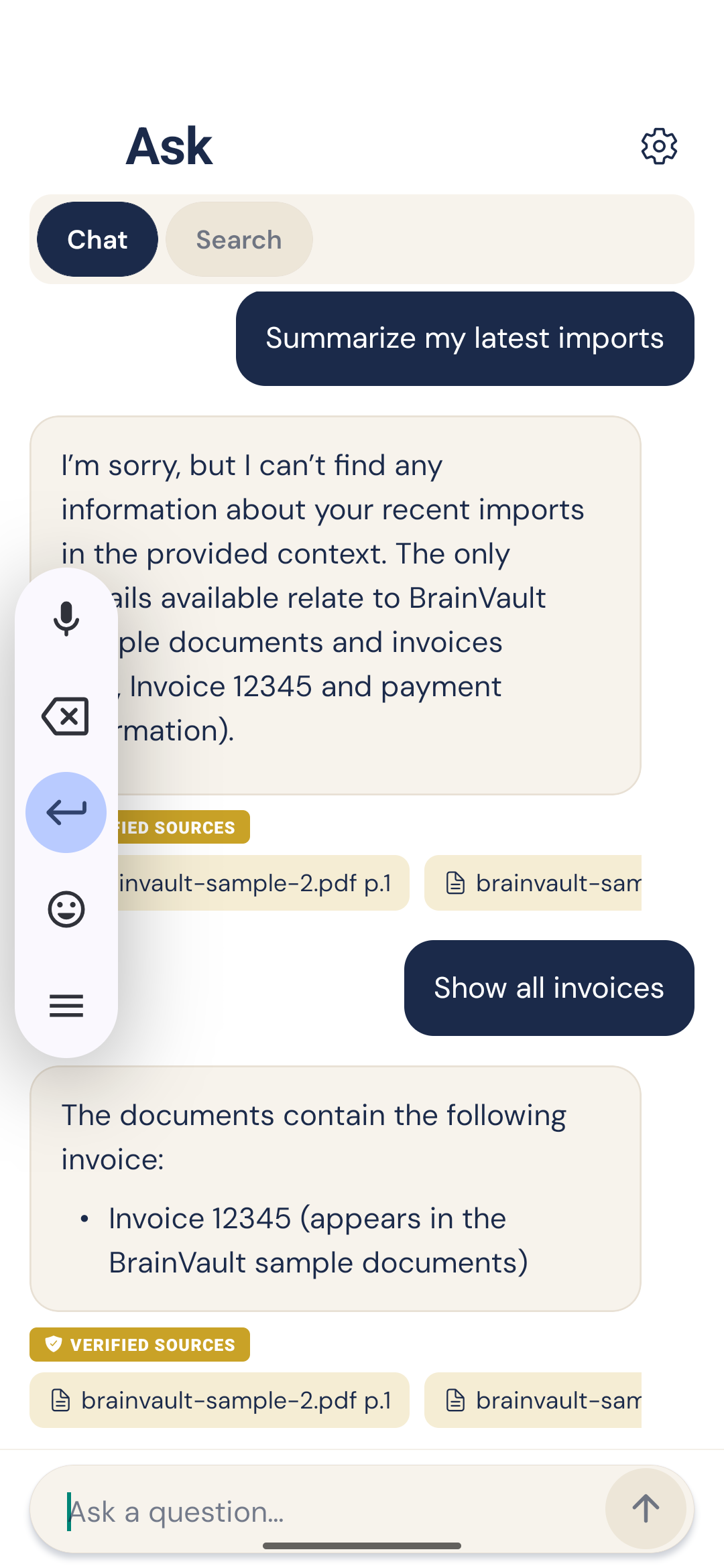
Chat in plain language or run hybrid, semantic, or keyword search. Answers can include Verified Sources citations.
Open reference text and the original file. If the vault context is not enough, Bruq AI is instructed to say it does not know.
Import → extract (PDF text or OCR) → chunk → embed locally until items show Ready. Processing status stays visible.
Browse device media like a library, batch-import with triage, and optionally watch Downloads, Documents, and Pictures.
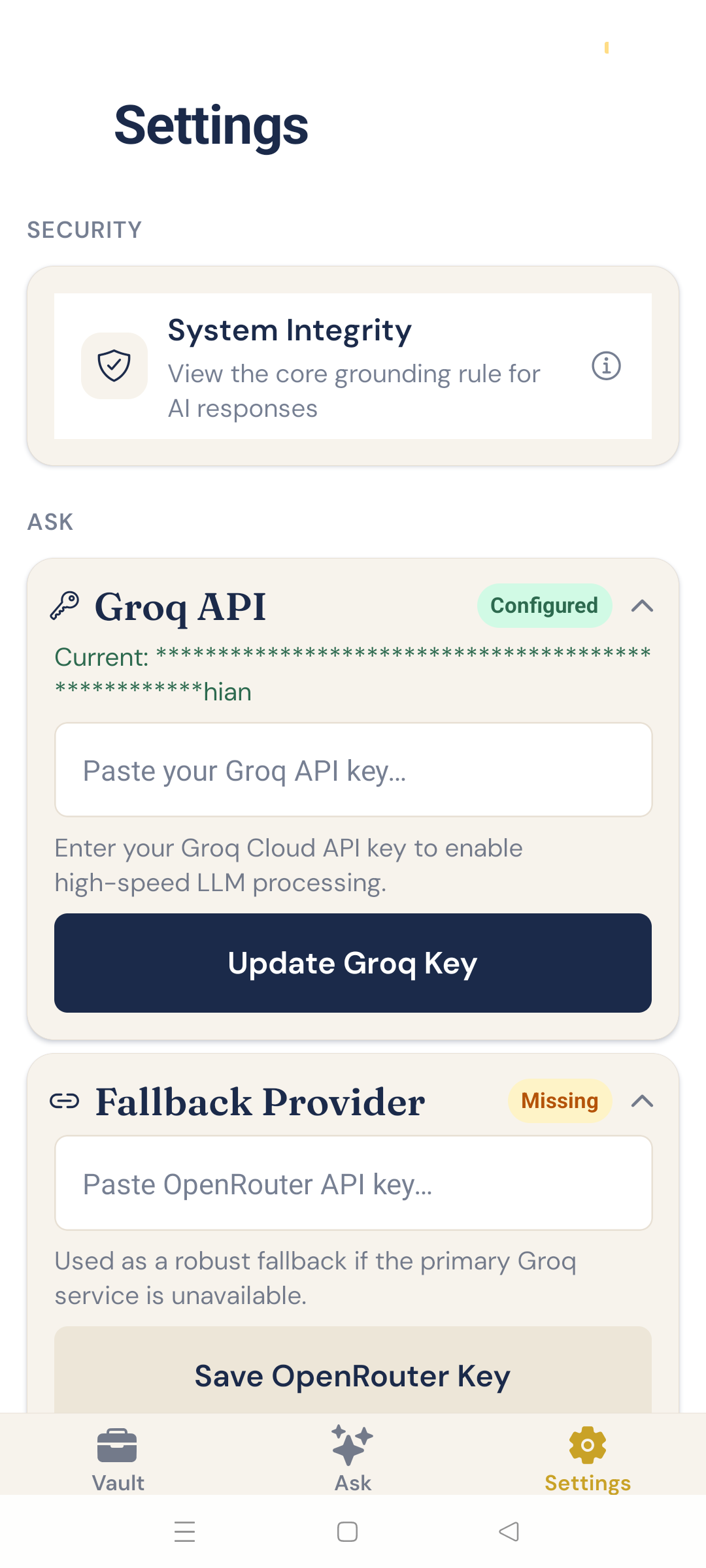
Unlock with the phone’s PIN, pattern, fingerprint, or face. Groq and OpenRouter keys stay on device — no Influrion-hosted keys.
Inside the app
A calm Private Archive interface — parchment surfaces, ink navy type, brass accents — with a friendly vault mascot.
How it works
Pick PDFs and images, or let Bruq AI find them on your Android device. Optional auto-recognition keeps the vault growing.
Text extraction, OCR, chunking, and embeddings run locally until files are Ready in your private vault index.
Search or chat over your vault, then open citations to confirm answers against the source snippets and originals.
Privacy
Download
Install the APK directly from Influrion while we prepare Play Store listing. Package com.bruq.ai. Deep folder scan and All files access are supported; you can also import via picker flows. iOS is not marketed as publicly available until Influrion confirms a store build.
Stack in brief: Expo SDK 56, React Native, on-device SQLite (FTS5 + vectors), ML Kit OCR, local embeddings, Groq / OpenRouter for answers.
On Android you may need to allow installs from this browser. Your vault stays on-device after install.
FAQ
Bruq AI is a privacy-first Android knowledge vault by Influrion Solutions. It turns PDFs and images on your phone into a searchable on-device archive you can ask in plain language, with cited answers. It was formerly known as BrainVault.
No. Documents and the local index stay on your device. Influrion does not host your vault.
When an AI provider is configured, retrieved text snippets plus your question are sent to that provider to generate the answer. OCR, chunking, and embeddings run on-device.
Yes for AI chat answers — configure Groq and/or OpenRouter (bring your own key). Search over your vault still uses the local index.
PDFs and images (with on-device OCR). Optional smart photo filtering can skip personal photos during auto-recognition.
Download the Android APK from https://www.influrion.com/products/bruq-ai (or /downloads/bruq-ai-v1.0.0.apk). Allow installs from your browser if prompted. Package name is com.bruq.ai.
Android is the shipping focus today (package com.bruq.ai). iOS identifiers exist in the project; Influrion will announce availability when a store build ships.
Yes. BrainVault was renamed to Bruq AI. Same product lineage from Influrion Solutions — private on-device knowledge vault for Android.
From the Influrion blog
The product primer — formerly BrainVault — and how Influrion positions the on-device vault.
Read articleWhy local indexing matters for contracts, receipts, and other phone-resident files.
Read articleHow the Android pipeline indexes PDFs and grounds answers with verified sources.
Read articleGet started
Download Bruq AI for Android, or talk to Influrion Solutions about privacy-first product engineering.